
Businesses make decisions that determine the project’s cost and performance, based on feasibility gauged during the first few weeks. It happens long before opening a single Revit model.
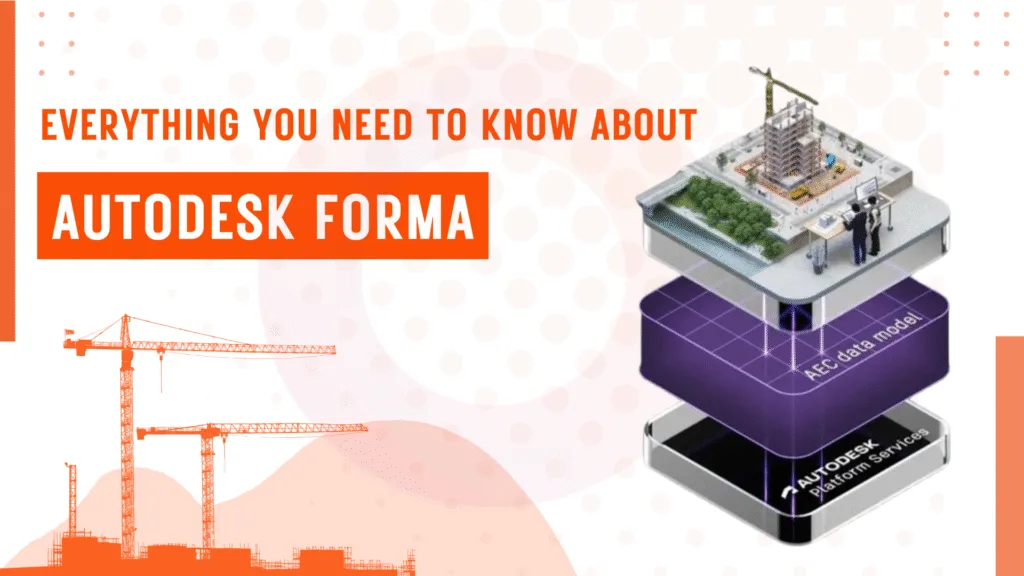
Usually, during the site analysis stage, teams work off instinct and rough sketches. Which is why there’s a need for Autodesk Forma. Originally developed as Spacemaker and acquired by Autodesk in 2020, Autodesk Forma brings real environmental data into the concept stage, so design decisions are grounded before they become expensive to reverse.
Firms like Baker Barrios Architects report that work that previously took 40 hours now takes four or fewer hours.
In this piece, we explore what Forma does, how it fits into a BIM workflow, and where specialist BIM services become essential once Forma hands off to detailed design.
What Is Autodesk Forma and Where Does It Fit in Your BIM Workflow?
Autodesk Forma is a cloud-based planning and design tool built for the earliest stage of a project, even before detailed modelling begins in Revit.
Architects and BIM teams use Autodesk Forma to test site conditions and run environmental analyses using real-world data, including wind exposure, sun access, noise levels, embodied carbon, and more.
Autodesk Forma remains at BIM Level of Development 100-200 to handle the big-picture thinking that shapes everything downstream. Once the concept is ready, Forma hands off directly to Revit, carrying the site model with it.
Read More: Everything You Need to Know About BIMUsing Forma to extract real-world data
Setting up a project site used to mean hours of manual work from sourcing terrain data and tracing building footprints to georeferencing everything before the actual design work could begin.
Forma cuts that process down significantly.
Here’s how:
- Enter the project address and confirm the site boundary, as Forma loads the surrounding context within minutes.
- Order available data layers, including existing buildings, roads, terrain elevation, and satellite imagery.
- Access property lines and lot dimensions where the market supports it.
- Toggle individual data layers on or off to keep the working view clean.
- Every site imported from Forma arrives in Revit already georeferenced, with accurate coordinates and elevation data in place.
Exploring design errors early on with 3D massing
When designing the project, some major mistakes may occur much earlier than in Revit decisions.
Usually, you’d expect it some weeks earlier, when teams are still sketching options without any real performance data to validate them.
Here’s what that looks like in practice:
- Sketching and iterating the massing concepts directly in Forma’s 3D environment without the requirement of having a Revit model.
- Importing existing geometry from Rhino or other tools into Forma lets you continue working in context.
- Get automatic area metrics as you model, so floor area and density numbers update in real time.
- Use AI-powered site automation to generate and evaluate layout options faster than manual iteration allows.
Making an environmental analysis before it becomes expensive to change
Any design decision you make at the concept stage may cost a fraction of what it would cost to reverse during detailed design or construction. Forma puts environmental analysis at exactly the right moment in the workflow; early enough to actually influence the outcome.
Here’s what Forma analyses in real time:
- Wind analysis: AI-powered wind analysis identifies exposure conditions across the site as massing evolves.
- Sun and daylight: Shadow studies and solar access analysis run directly on the massing model, flagging performance issues before they’re locked in.
- Noise analysis: Real-world noise data is layered onto the site, helping teams understand acoustic conditions during planning.
- Embodied carbon: Near-instant lifecycle carbon data gives teams a sustainability baseline at the earliest possible stage.
- Design comparisons: Multiple proposals can be evaluated against one another using the same analysis set, so decisions are based on evidence rather than preference.
The Forma-to-Revit Handoff: How It Actually Works
Most teams assume moving a site model from one tool to another is all about exporting the model and fixing broken geometry. At best, re-georeferencing everything from scratch, which is often the BIM for Architects.
But the Forma-to-Revit connection works differently. It runs through a dedicated Revit add-in to provide a structured, more editable model, which is quite unlike a static reference file.
There are four stages worth understanding:
Installing the add-in and preparing the proposal
The Forma add-in for Revit is installed directly from Forma’s Extensions panel and works with Revit 2022 through 2026. Before sending anything across, the team duplicates the finalised proposal in Forma to keep the original intact for comparison as the copy moves forward into Revit.
Sending the proposal and setting up in Revit
The transfer is initiated within Forma itself; once confirmed, it is detected by Revit and automatically initiates the incoming proposal. The team selects a project template, and Forma adjusts how it converts the geometry to match that template.
Choosing what comes across
Before the model loads, teams get to decide which elements to bring in. This could be context buildings, terrain, roads, trees, and site boundaries, all selectable individually. Nothing is forced into the model.
What lands in Revit
The loaded model includes a Toposolid built from Forma’s terrain data, which contains floor plans separated by internal walls and contextual buildings. Coordinates and elevation data are accurate from the moment it loads.
Key Features of Autodesk Forma
Forma’s feature set is designed to provide design teams with reliable data before they commit to anything.
Here is what the platform currently covers:
AI-Powered Site Automation
Forma can generate and evaluate multiple building layout options automatically based on predefined rules and site constraints. It allows teams to explore more massing options in less time than manual iteration allows.
Terrain Editing
Directly within the design toolbar, teams can draw terrain pads freehand along contour lines, adjust elevation numerically or interactively, and define slope ratios. Real-time metrics show cut-and-fill volumes as the geometry changes.
Dynamo Integration
Forma supports Dynamo as a cloud service, allowing teams to run visual programming scripts directly within Forma without a local Dynamo installation. Geometry generated through Dynamo appears as native Forma elements.
Augmented Reality via Extensions
Through the inCituAR extension, proposals can be published as location-based AR experiences accessible on iOS or Android. Useful for client presentations and on-site visualisation.
Esri and GIS Connectivity
Forma connects to Esri’s ArcGIS platform, pulling in geographic data including zoning boundaries, infrastructure, and detailed building data — particularly relevant for larger urban planning projects.
Read More: Top 10 BIM Software in 2026Autodesk Forma: Pros and Cons
Before you make a choice on the tool, ensure the boons and banes are covered so you don’t falter on the expectations vs. value scale. Usually, you’ll have a BIM manager evaluating Forma to decide where it earns its place and where it falls short.
Advantages of Autodesk Forma
- Forma is included in the AEC Collection at no extra cost, which means most firms using Revit already have access.
- Environmental analyses run in real time and directly on massing models without the need for any specialist software.
- The Forma-to-Revit connection automatically carries terrain and context, along with georeferencing, across.
- The learning curve is genuinely shallow. Gray Puksand’s design technology team was fully operational on Forma without a lengthy onboarding period — the browser-based setup means there is nothing to install and no local configuration to manage.
Cons
- Data availability may vary by country and market. Some locations have limited terrain and building footprint data available for ordering.
- Forma operates at LOD 100 to 200. It is a concept and planning tool, but not a substitute for detailed BIM modelling. Structural Modeling, MEP & F Modeling, and Family Creation all require specialized BIM services once the project moves beyond the concept stage.
- As a standalone subscription at $185 per month, the value proposition weakens for teams interested only in site modelling rather than the full early-design workflow.
Conclusion
Autodesk Forma is purpose-built for early-stage design decisions related to site analysis and massing. But once you validate the concept, the model moves into Revit, a process that requires greater depth.
Also, it’s here that you need specialist BIM expertise to make the difference between a model that coordinates cleanly and one that creates problems on site.
At Next Synergy Solutions, we pick up exactly where Forma leaves off.
Explore our BIM services or schedule a free consultation to discuss your project.