
Businesses in the AEC space may need to plan a retrofit or a large-scale refurbishment. But often, there’s one key question: How much does Scan to BIM cost?
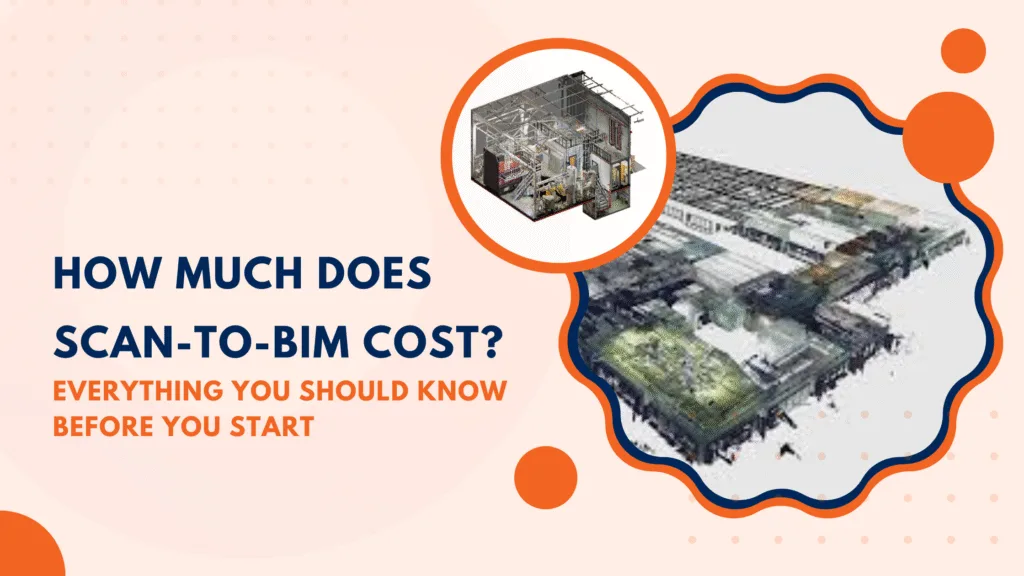
There are two sides to the story.
One, the market is fast-growing and fiercely competitive, so rates now depend largely on the service provider’s expertise and capabilities. The competition: Scan to BIM services was a USD$471 million market in 2024. But, come 2031, and it’s going to reach USD$673 million — a solid 5.3% CAGR. This means that there are plenty of BIM service providers and you’re bound to get competitive rates. But it boils down to how effectively you can choose the right BIM services provider
Second, Scan to BIM costing depends on factors like scanner setup, point-cloud processing, model LOD (Level of Development), MEP complexity (Mechanical, Electrical, and Plumbing), and the type of deliverables required.
That’s why gaining this clarity early helps you avoid unexpected expenses later.
Let’s move forward with a fair idea of Scan to BIM pricing.
What Drives the Scan to BIM Cost?
The answer to what contributes to BIM costs lies in identifying cost-intensive areas where time, detail, and precision directly translate into money.
Once you know what is Scan to BIM, try tracking these factors affecting it early on. This makes it smarter to scope decisions without losing accuracy.
Know the size of your project by Area, Volume, Floors, etc.
The scope of the project will be a key factor in Scan to BIM costs. Scanning and modeling show a nearly linear relationship with area, volume, and the number of floors.
More square footage requires more scans, a high level of data to register, and even longer modeling hours. For example, a two-story retail block may finish in days, while a 30-floor tower could take weeks just for scanning.
To manage costs:
- Define clear project boundaries to avoid scanning unnecessary areas
- Plan scanning in phases for multi-floor or large sites to distribute cost over time
- Use drones for exterior or high-volume spaces to reduce ground scanning hours
Analyze the Level of Development (LOD) your project needs
The LOD details in the development will contribute to the cost. Especially because MEP modeling is now in the mix. With each level up in LOD, you’ll see an increase in both time and expertise that goes into Scan to BIM modeling.
Here is the impact of each LOD level on pricing:
- LOD 200: Involves conceptual geometry, so it has the lowest cost. Also, this one is only used for general planning or visualization
- LOD 300: This LOD will require construction documentation, so expect a moderate cost, which is ideal for coordination and design validation
- LOD 400: There will be fabrication-ready details that result in high cost. It also requires exact modeling of systems and assemblies.
- LOD 500: It’s the final level of verified as-built models, and it attracts the highest cost because it requires on-site verification and a high level of Scan-to-BIM accuracy and deliverables.
Watch for the accessibility & site conditions
Complex or restricted environments cost more to scan. That’s why confined areas, tight ceiling spaces, or high-risk industrial sites require additional equipment and safety gear. Also, the night scanning or off-hour schedules can further increase labor costs.
Factors that add cost at this stage:
- Limited access areas that need specialized scanners or mobile devices
- Safety requirements for trained personnel and extra supervision
- Projects running in active sites (like hospitals or factories), which can restrict scanning hours
Consider the scan quality & density
Higher-density scans capture more details with greater precision. But they take longer to process and register because each additional point increases file size and computing demand.
The dense point clouds can improve model accuracy, but they also increase costs during both processing and modeling.
These are the deliverables & file formats that influence pricing:
- As-built drawings (plans, sections, and elevations)
- Detailed 3D BIM models with discipline-wise breakdowns
- Schedules and COBie datasets for asset and facility management
- BIM Execution Plan (BEP) documentation for compliance and handover
Even the labor and location matter
Where your project is based plays a big role in Scan to BIM pricing. Labor, logistics, and operational costs differ widely across regions. For example, scanning in a major city with strict site regulations will cost more than doing the same job in an industrial zone.
Also, travel time, crew availability, and even permit requirements all influence the final figure.
Location-related factors that affect cost:
- Local labor rates for scanning and modeling specialists
- Travel, accommodation, and mobilization expenses for remote or hard-to-reach sites
- Regional regulations or safety standards that add administrative or compliance costs
- Currency exchange rates for international projects or outsourced modeling work
How Much Does Scan to BIM Cost with Allocated Budgets
Scan-to-BIM pricing makes sense only when you look at scale of the site is and how complex the space gets once you zoom in.
For instance, a small pump room can cost more than a medium warehouse simply because the MEP density is tighter. Similarly, The cost to build a house in the USA would differ from that of retrofitting an old museum in France.
This quick snapshot helps teams gauge the ballpark before requesting a formal quote.
| Small Projects Example: a 1,500 sq.ft clinic, a pump room, a small shop, or a duplex | ||
| Complexity Level | What Creates This Complexity | Ballpark Cost Range |
| Low Complexity | Simple geometry, basic architecture, limited MEP | $0.50–$1.20 / sq.ft |
| Medium Complexity | Moderate MEP, structural detail, multiple rooms | $1.20–$3.00 / sq.ft |
| High Complexity | Dense MEP, equipment-heavy rooms, high LOD expectations | $3.00–$6.00+ / sq.ft |
| Medium ProjectsExample: schools, mid-size warehouses, mixed-use floors, office wings | ||
| Complexity Level | What Creates This Complexity | Ballpark Cost Range |
| Low Complexity | Open-plan layouts, light services | $0.40–$1.00 / sq.ft |
| Medium Complexity | Mixed geometry, moderate service density, structural + MEP | $1.00–$2.50 / sq.ft |
| High Complexity | Tight equipment zones, multiple service layers, LOD 350–400 | $2.50–$5.00+ / sq.ft |
| Large Projects Example: manufacturing floors, multi-story commercial buildings, logistics hubs | ||
| Complexity Level | What Creates This Complexity | Ballpark Cost Range |
| Low Complexity | Repetitive floors, simple structure, light service routes | $0.20–$0.80 / sq.ft |
| Medium Complexity | Combined architecture + structure + moderate MEP detail | $0.80–$2.00 / sq.ft |
| High Complexity | High MEP density, fabrication-grade LOD, heavy coordination | $2.00–$4.50+ / sq.ft |
N.B:These figures serve as rough guides, not final quotes. Each site reacts differently once we study its layout, services, and access, so the actual estimate comes only after we review the full scope.
These are some of the major cost components you should keep an eye on:
1. Scanning data on site
You’ll have to bear the cost for mobilization, equipment setup, and other costs around actual scanning. This phase includes labor, travel, and, sometimes, special site permissions, for which the price varies based on site size, accessibility, and safety requirements.
2. Data on point cloud: processing & registration
Once you capture the data, you’ll need to clean and align it. The task will have experts filtering noise, merging multiple scans, and organizing them into a single point cloud.
Again, this one is a labor-heavy process that directly affects accuracy. So, you’d also need some of the best BIM Software, such as Autodesk ReCap, Leica Cyclone REGISTER 360, along with skilled technicians, which makes a big difference to cost.
3. Performing the BIM Modeling
The soul of your entire Scan to BIM process is where you can actually dig into how to calculate the Scan to BIM cost. Also, this is often the most time-consuming and cost-driving stage.
It involves converting the registered point cloud into a detailed, intelligent 3D model. Pricing depends on the Level of Detail (LOD), number of disciplines (architecture, structure, MEP), and modeling standards. The more precise the geometry and metadata, the higher the modeling cost.
4. Offering delivery along with the documentation
Before delivery, the model still needs to undergo quality checks to ensure it aligns with clash detection and LOD compliance. There’s documentation in the form of reports and layouts, along with files in various formats (Revit, IFC, DWG, etc.). Projects that require strict validation or third-party audits may see additional costs here.
5. Managing the project and undergoing revisions
There can be more changes in terms of meeting coordination and feedback rounds if you carefully plan the project. Such factors do collectively add up to the total cost.
That’s why businesses with clear communication channels and defined approval workflows often save the most at this stage.
Prepare to Get an Accurate Quote: A Handy Checklist
Start straight up with your project story before you jump to get any numbers from the vendor.
A good quote comes from clarity, so you must outline what needs scanning and the depth of modeling you expect. Not to forget the purpose behind the output as well, to have an estimate that lands closer to reality.
This is the handy checklist to follow:
Define the whole area that requires scanning and note any add-on spaces you might include later
Mention the LOD you expect so the model doesn’t end up too light or excessively detailed
Share whatever reference material you have in terms of digital floor plans, old drawings, or even site photos, to help the scanning team size up the effort
Describe the site conditions that could slow down work. Mention any restricted entry times, extra safety rules, or areas that stay busy during working hours.
Specify the handover package you want, whether that’s a point cloud, a BIM model, or a mix of formats
Clarify your timeline so the vendor can plan their crew and tell you if any fast-track fees apply
Ask what they exclude in the quote so you avoid last-minute add-ons
How to Reduce the Cost of Scan to BIM Without Sacrificing Accuracy?
Budget signals often start with the question: How much does it cost to have a scan to BIM services? Some studies show models built from laser scanning and BIM workflows can achieve 95%+ alignment with real-world geometry.
So the smart move is not choosing the low cost over accuracy. Instead, find the cost-accuracy sweet spot for your project.
Enable this by:
- Clarifying the scope tightly by limiting scanning to only what’s needed avoids spending on extraneous areas.
- Use effective LOD planning. If you don’t need the full fabrication detail (LOD 400-500), pick a reasonable LOD that can save thousands.
- Optimize scanning strategy. Leverage drones or handheld scanners for hard-to-reach areas and adopt hybrid workflows.
- Bundle deliverables smartly. If you only use the model for visual coordination, skip high-end metadata layers for now.
- Leverage outsourced registration and modeling to a business that provides BIM Modeling services
Common Pricing Pitfalls to Avoid
Scan to BIM costs go off-track if you’re too quick to jump into the process without a clear scope. Common pitfalls in Scan to BIM often stem from incomplete site information or mismatched expectations about LOD.
Here are the pitfalls you want to watch out for:
Lack of a clearly defined scope
The scope keeps expanding as the project unfolds. A client asks for “the building,” but later adds service rooms, mezzanines, equipment zones, or exterior elements that were never mentioned during quoting.
Quick-made LOD decisions
LOD decisions made on the fly. A modeler begins with architectural detail and then receives late instructions for fabrication-level MEP. This shift adds serious time without warning.
Unreliable point cloud quality
Scans captured in rush jobs or during heavy foot traffic often introduce clutter, reflections, and other unwanted elements. Cleaning all that slows everything down.
Quotation mismatches
Rates that look clear on paper but hide exclusions. Some vendors quote a low per-sq-ft rate but exclude structure, MEP, or annotation standards, which can lead to additional charges.
On-the-fly deliverables add-ons
Deliverables that evolve mid-project can affect the Scan to BIM cost. For example, a team initially asks for a BIM model. But later, requests 2D drawings, COBie sheets, or asset tagging. Each of these outputs applies its own time and checks.
How Next Synergy Helps You Estimate Scan-to-BIM Costs Correctly
One of the surest ways why costing goes wrong? Building on assumptions instead of real evaluation. We understand the importance of a BIM to architect company, and that’s why at Next Synergy Solutions, the Scan to BIM pricing method removes any speculative pricing.
Instead, we show you the financial picture upfront.
For example, a 10,000 sq ft hospital can cost over 50% more than a 10,000 sq ft residence because of dense MEP routing, hidden services, and access restrictions.
We flag these factors early so your estimate stays realistic from day one.
Here’s what strengthens our cost evaluations:
Following a discipline-specific scoping
We study the architectural, structural, and MEP requirements separately to spot high-effort zones early.
A scan strategy built for your layout
Before we quote you the cost of Scan to BIM services, we review your drawings, photos, utility paths, and access notes to determine how many scans the site actually needs
LOD-linked cost transparency
Breaking down exactly how much effort goes into LOD 200, 300, 400, or 500, so you only pay for the detail you need.
Special handling for complex sites
Hospitals, labs, plants, and older commercial blocks need extra planning and highlighting of MEP density.
Clear deliverables with no ambiguity
We define what you get in point clouds, BIM models, drawings, schedules, COBie, or FM-ready files.
Conclusion
Scan to BIM continues to prove its value as projects demand greater accuracy and faster decision-making. Again, costs will vary, but the clarity comes when you understand what drives the work and choose partners who scope with care.
The future of BIM leans toward smarter automation and models built on richer data. So whether you’re planning a retrofit, upgrade, or major documentation project, now’s the right time to price it correctly.